
Home > Configuration Portal > Leave and Time Management > Manage Leave Policies > Configure Settings
Configure settings
Follow the steps below to configure settings for the leave policies:
-
Navigate to Leave & Time management > Leave policy and then locate the layer you want to add the policy.
-
Click Settings.
-
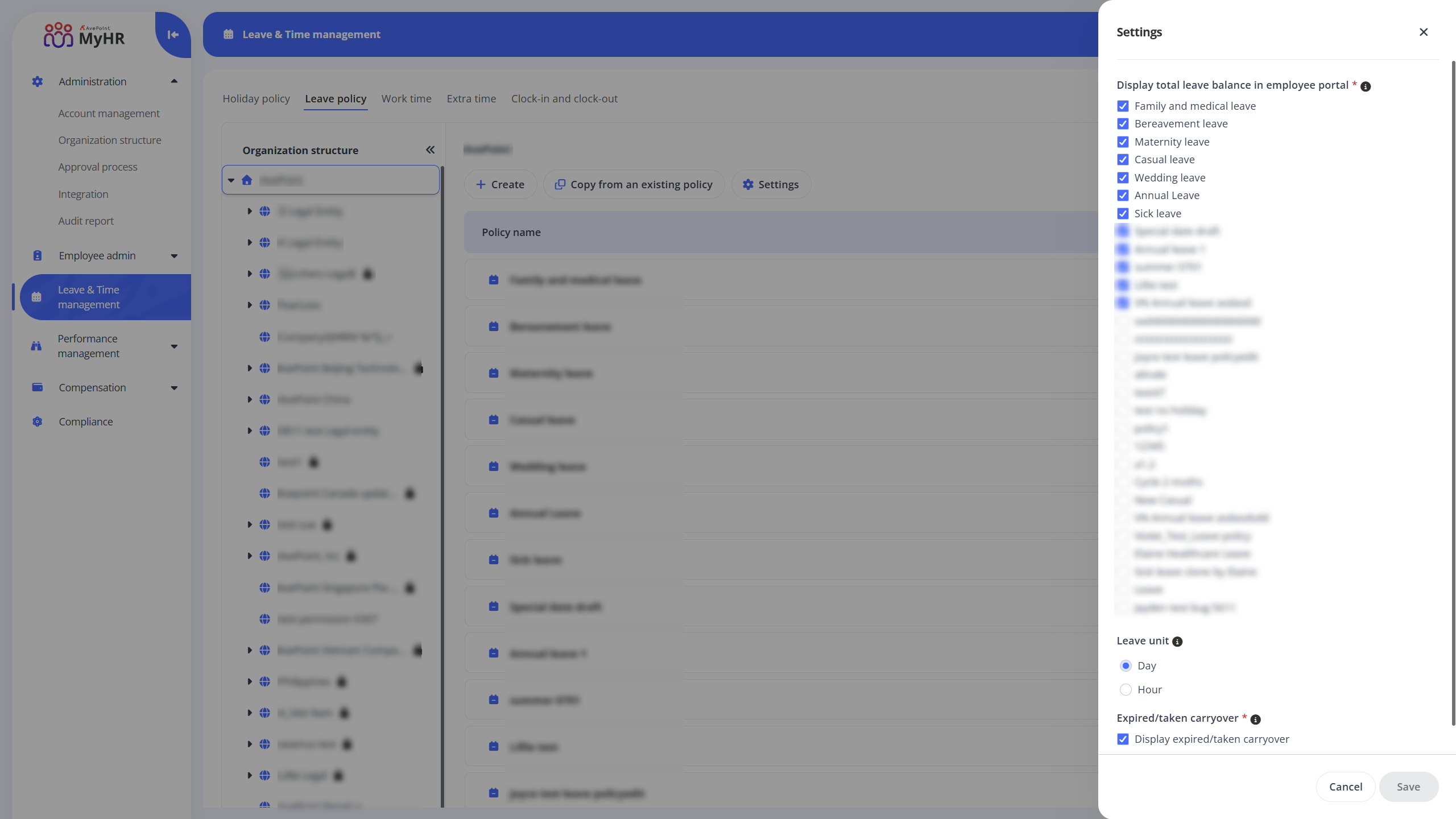
In the Settings panel, under Display total leave balance in employee portal section, select the leave policies you want to include in the total leave balance. The total leave balance will be shown in the employee portal.
-
In the Leave unit section, choose a leave unit. This unit will be used for:
- Counting leaves in the Employee Portal - Admin View > Leave & Time management > Leave tab.
- Displaying leave data in the Employee Portal - Myself View > Leave & Time > Leave overview section.
- Calculating leave balances when employees submit leave requests.
-
In the Expired/taken carryover section, select this option if you want to display expired and taken carryover. When enabled, expired and taken carryover will be displayed on the Leave & Time page. This setting applies only to leave policies with Specify expiration date enabled in carryover settings.
-
Click Save to save your settings.