
Home > Configuration Portal > Requisition Configuration > Configure Requisition Approval Workflow
Configure Requisition Approval Workflow
The Process configuration module allows you to define the approval chain for requisition requests. You can configure approvers at each level based on the created templates.
Follow the steps below to configure the approval workflow for your requisition requests.
-
Navigate to Requisition > Process configuration. All requisition request templates are displayed on this page.
-
Locate your template and click its name to open the template details page.
-
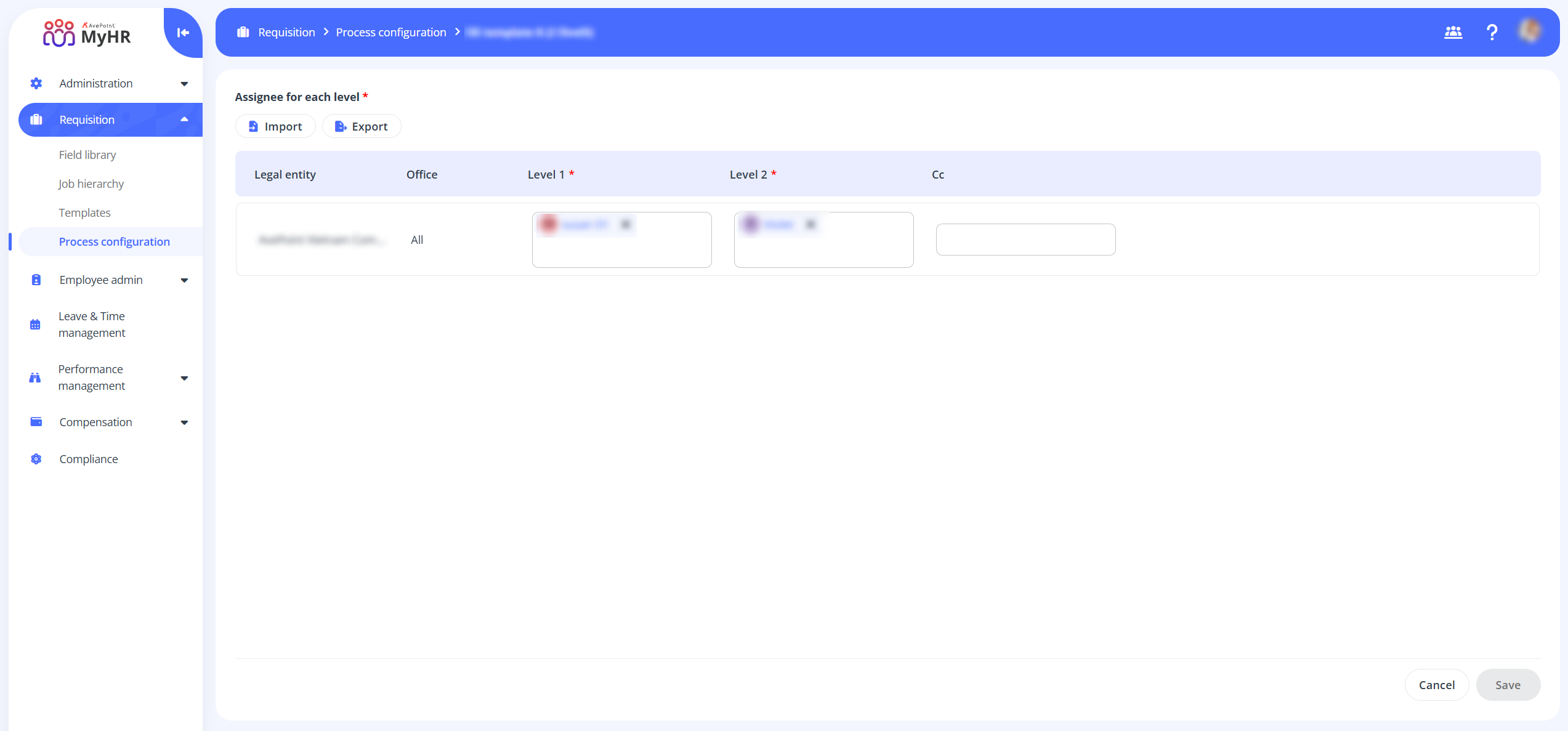
Configure the assignee for each approval level and specify the email Cc recipients for each level as needed.
-
Click Export to export the approval workflow.
Import Requisition Approval Workflow
Follow the steps below to import a requisition approval workflow:
-
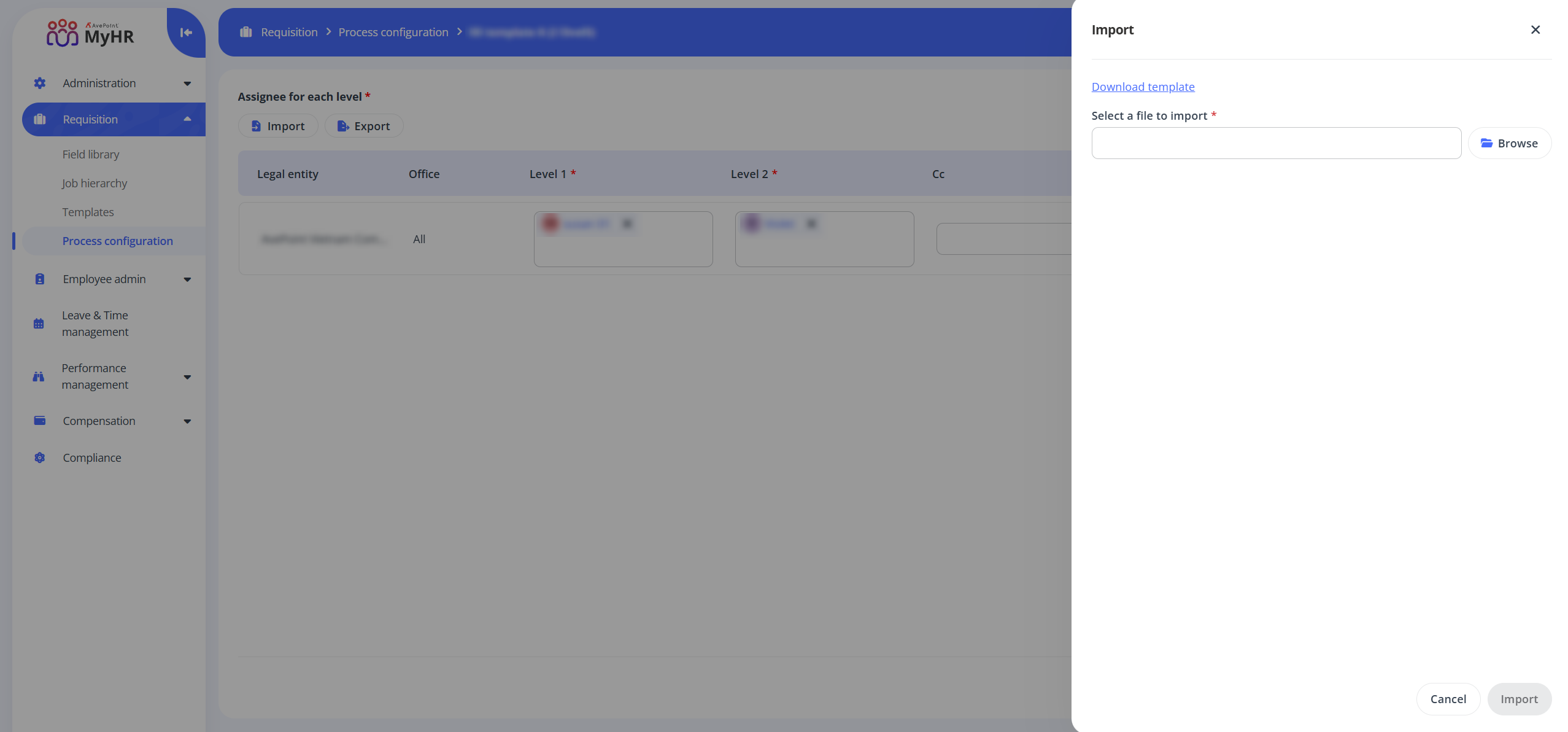
Navigate to Requisition > Process configuration and click the Import button on the command bar.
-
In the Import panel, click the Download template link to download a template file.
-
Open the downloaded template and update it with the required information, including the assignee for each approval level and the email Cc recipients for each level.
-
Click Browse to locate and select your updated template file.
-
Click Import.