
Home > Configuration Portal > Compensation Management > Manage Compensation Statements > Create a Compensation Statement Profile
Create a Compensation Statement Profile
Follow the steps below to create a new compensation statement profile:
-
Navigate to Compensation > Statements.
-
Click Create on the command bar.
-
On the Create statement profile panel, complete the following settings. You can click Preview with pre-defined values to preview the statement with the current values.
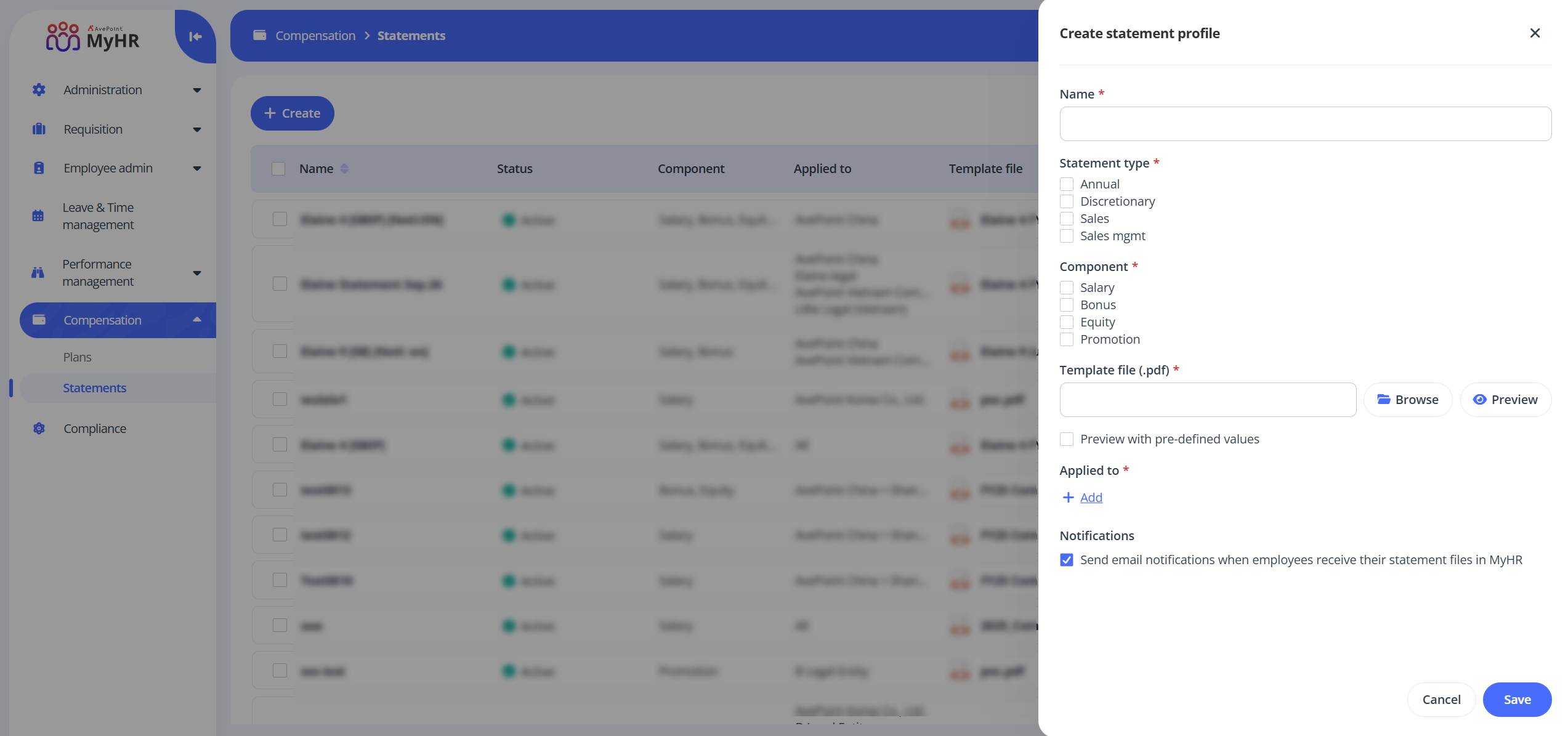
- Name - Enter a name for the statement profile you are creating.
- Statement type - Select one or more types for your profile.
- Component - Select one or more components for your profile.
- Template file - Click Browse to upload a statement template file. You can click Preview to preview the uploaded file.
-
Click Add link in the Applied to field to define the applied scope. In the Apply to panel, select the specific organizations, legal entities, or offices as needed, and click Apply.
-
Select Send email notifications once employees receive their statement files in MyHR to send email notifications to employees when their statement files become available in MyHR.
-
Click Save to create the statement profile.